


For a coach scheduling back-to-back lessons, the battery question is whether your intended mix of exercises fits the available power. Up to five hours applies to Ball Machine mode with the launching wheels running at 3,000–4,000 rpm. Modes that involve more movement or higher-power settings use more energy, so actual training time varies. Keep those conditions attached to the headline when planning a teaching day.

Read the operating condition with the headline
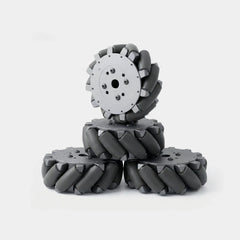
The quoted rpm describes the launching wheels. Keep that operating condition attached to the runtime claim when comparing equipment or explaining the purchase to your club. Do not use the headline as a timetable for every training mode.
Write down the practice you intend to run: repeatable feeds, movement exercises, interactive exchanges, or a mixture. Add the time spent setting up, resting and collecting balls to your court booking separately. A court reservation and active machine operation describe different parts of the session.
Match the exercise to your actual workload
In Ball Machine mode, Acemate S10 Pro has an adjustable ball-feed interval of 1–15 seconds. Choose the rhythm around the player's task and recovery, rather than copying a setting from a promotional clip. Leave enough space between shots to complete the exercise properly.
S10 Pro tracks the ball and moves to receive suitable returns within its operating area. For an interactive session, plan around the type of exchange you want to practise. Keep a separate note of those exercises when discussing runtime with the supplier; a feed-only session is a different workload from a moving rally exercise.
Acemate S10 Pro offers 100+ preset drills and supports custom drills for movement, consistency, placement and shot patterns. Select the exercise around the player first. Then assess whether the runtime guidance you have received describes that exercise.
Back-to-back lessons need an order-specific answer
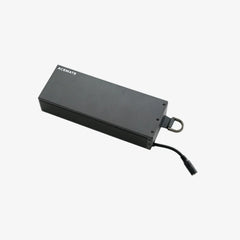
For a coaching day, write down your lesson schedule and intended modes before ordering. Ask for runtime guidance for that mix. Confirm charging requirements and whether the exact battery and charger options you are considering fit the model.
Confirm the compatibility of the exact accessories you intend to buy. Avoid relying on an unconfirmed battery arrangement when promising a full day of lessons. Prepare an alternative exercise for a session that cannot depend on the machine.
S10 Pro users can start, pause and adjust training through the supported remote controls. Schedule breaks to discuss a shot or reset the exercise. Do not treat pauses as evidence of a particular battery saving.
Make your first sessions a useful planning record
Acemate S10 Pro training records let users review what they practised. Record your own observations alongside those records. Note the modes used, time actively training, settings and breaks. Use observations from your own equipment to plan the next booking.
Start with a manageable session before scheduling a day that depends on continuous machine use. The useful question is whether your intended routine fits the available power, with room to adapt.
