
Six specs decide whether a ball machine fits you: ball speed, spin and oscillation, hopper size, battery life, weight, and control type. Price sets the ceiling, but it does not decide the fit.
What to Consider When Choosing a Tennis Ball Machine
Seven things separate machines in ways you will feel on court. Most of what else appears on a spec sheet has little effect on a session.
|
What to consider |
Why it matters |
What to look for |
|---|---|---|
|
Ball speed |
Sets whether the machine can challenge you, and whether it stays realistic |
A usable range, not a headline number |
|
Spin control |
Topspin and slice bounce differently, and both appear in matches |
Adjustable in both directions |
|
Oscillation |
Decides whether you practice a stroke or practice movement |
Two-line or programmable, not just random sweep |
|
Hopper size |
Controls how often the session stops |
100 to 150 balls for most players |
|
Battery and charge time |
Decides session length and back-to-back days |
Removable pack, charge time under 4 hours |
|
Weight |
Decides how often the machine actually leaves the garage |
Loaded weight, not the empty figure |
|
Control type |
Decides whether you adjust from your baseline or walk over |
A physical remote as a backup, not app-only control |
How Much Ball Speed You Actually Need
Around 50 to 60 mph covers most club practice. A machine's top setting is not always usable either, since some cannot keep the ball inside the court at maximum speed.
80 mph is roughly the top end of an ATP forehand. A number that high on a spec sheet is not a training target for a club player. If a machine's usable range tops out lower but the ball arrives with consistent depth and spin, that machine trains you better.
Speed and spin trade against each other. Heavy topspin slows the ball, because the launch wheels work against each other rather than together. A machine quoting 80 mph is quoting it flat, and the number drops as soon as you dial in spin.
Judge a machine on the ball it delivers at the settings you will use. A ball landing short at 75 mph is easier to handle than a deep ball at 55.
Spin, Oscillation, and Drill Programming
These three decide what you can practice, as opposed to how hard it is. Spin changes the bounce, oscillation changes whether you move, and programming changes whether you run a single shot or a whole point.
Spin control should run in both directions. Topspin-only machines cover groundstroke work but leave out slice, which is the ball most club players handle worst.
Oscillation comes in three forms. Random sweep spreads balls across the court for movement work. Two-line mode alternates between fixed left and right targets, which is what pattern drills need. Programmable placement lets you build a sequence.
Drill programming separates a feeder from a training tool. Machines with multi-shot sequences let you set independent speed, spin, height, and placement for each ball, so you can practice an approach and a volley instead of hitting 40 identical forehands. That gap between a traditional feeder and a modern machine is wider than any single spec on a comparison chart.
If you upgrade one thing above the entry tier, make it this group.
Hopper Size and Ball Pickup Time
Capacity runs from about 50 to 300 balls, and 100 to 150 covers most players. The number matters less for how long you hit than for how often you stop.
A 100-ball hopper at a 5-second feed interval empties in about eight minutes, and collecting those balls by hand costs another four to six. In a one-hour booking that is three feed-and-collect cycles, with under half the hour spent hitting.
A bigger hopper stretches each cycle. A ball tube or wheeled hopper shortens the collection. Machines with a collection net change the arithmetic differently, since some of your returns drop back into the hopper as you hit.

Battery Life, Charge Time, and Spare Packs
Match the rating to your session length, then halve it. Published run times are typically measured at low speed and slow feed, and the same machine can deliver half that at match-pace settings.
Slinger lists both ends of that spread, at up to 3.5 hours on low settings and 1.5 hours at maximum speed, feed, and oscillation. Treat any single number as the optimistic end.
Two things matter more than the headline figure:
- Whether the pack is removable. A spare converts run time from a ceiling into a swap, and usually costs less than the price gap between two machines with different ratings.
- Charge time. Some machines recharge in 1.5 hours. Older lead-acid designs can need 18 to 24 on a standard charger, which rules out back-to-back days.
Check the battery warranty separately from the machine warranty. Several brands cover the machine for two years and the battery for three to six months. Battery care between sessions affects how long a pack holds its rated capacity.
Weight and Portability
Weight decides how often the machine actually gets used. For anyone who does not park courtside, it constrains the shortlist before any other spec does.
Under 20 lb you carry the machine over a shoulder. From 20 to 30 lb you lift it with two hands. Above 30 lb you roll or drive it, and it will not cross a multi-court facility comfortably. Portable tennis ball machines run from 13 lb to 44 lb across the current market.
Two details published weights hide. Most figures exclude balls, and a full hopper adds 12 to 19 lb. Some also exclude the battery. Ask which one you are reading before comparing two machines, and measure your trunk lip height before assuming a 45 lb loaded lift is manageable.
Dial, App, and Rally Robot Controls
Three control types split the market, and the difference decides how much you can change without walking to the far baseline.
Feature |
Dial and knob |
App-controlled |
Rally robot |
|---|---|---|---|
|
Change settings without walking over |
No, except feed on and off with a remote |
Yes, from the app |
Yes, from the app |
|
Programmable sequences |
None, random oscillation only |
Yes, multi-shot patterns |
Yes, plus return play |
|
Court requirement |
Any flat surface |
Any flat surface |
Standard court with visible lines for rally mode |
|
Session setup |
Seconds |
Bluetooth pairing each time |
Pairing, plus a calibration the first time on each court |
Dial machines have the fewest failure points and the least flexibility. App machines give you control from your own baseline, at the cost of pairing every session and a dependency worth covering with a physical remote.
Rally robots are a category change rather than an upgrade. Instead of feeding from a fixed spot, they track your shot, move to intercept it, and play it back, which turns a drill into a rally. That capability carries the highest price in the category and needs a standard court to work, so it comes down to the difference between a ball machine and a tennis robot.
What Each Price Tier Buys
Entry machines start around $700, capable programmable machines run $1,000 to $2,000, and vision-driven robots sit above $2,000. Tennis ball machine prices move with promotions through the year, so check current figures before budgeting.
Under $1,000 is a working category rather than a set of compromises. Machines here feed reliably, offer remote or app control, and run 2 to 4 hours. What they lack is programmable multi-shot sequences, computer vision, and, in some cases, spin control. The question is not whether they work, but whether the missing feature is one you would use weekly.
$1,000 to $2,000 buys drill programming, a wider spin range, and larger hoppers. Most players who practice regularly land here.
Above $2,000 buys either premium build with long runtime, or a machine that tracks and moves.
Two costs sit outside the sticker price: pressureless balls and a spare battery, which typically runs a few hundred dollars. Over three or four seasons those running costs, plus repair availability, decide the long-term value of a cheap machine against a premium one more than the purchase price does.
Matching Specs to Your Situation
The same seven specs carry different weight depending on who is hitting and how the machine gets to the court. The rows below set the priorities; top picks for every type of player covers which machines meet them.
|
Situation |
Prioritize |
Safe to skip |
|---|---|---|
|
Beginner or junior |
Low minimum speed, long feed interval, low-compression ball support |
High top speed, drill libraries |
|
Intermediate training solo |
Two-line oscillation, programmable placement, spin range |
Maximum hopper size |
|
Advanced, rebuilding a stroke |
Depth consistency, repeatable placement, rally capability |
The maximum speed number |
|
Coach or teaching pro |
150-ball hopper, long runtime, physical remote, fast setup |
App-only control, carry-class weight |
|
Club or facility, shared use |
AC power option, parts availability, durability, simple controls |
Portability, app pairing |
|
No car, public courts |
Under 20 lb, small folded footprint |
Large hopper, top speed |
Beginners and Juniors
Shop the minimum, not the maximum. Top speed is irrelevant for a new player or a 10-year-old, while the slowest speed and the longest feed interval decide whether the machine is usable at all. Check that it handles red, orange, and green low-compression balls without jamming, since several machines that feed standard balls perfectly handle lighter balls inconsistently. Beginner machines are worth judging on that minimum figure alone.
Coaches and Teaching Pros
Setup time costs more than features. At four minutes of pairing and programming per lesson, that is 24 minutes across a six-lesson day. A physical remote matters more than any app, because you start and stop the feed while standing beside a student on the far side of the court. Hopper size and runtime follow, since reloading mid-lesson is worse than reloading between them. Teaching pros also field the question from students constantly, so it helps to have a position on whether a ball machine can replace a coach.
Clubs and Shared Machines
Simplicity beats capability. Shared machines get handled by people who did not read the manual, so straightforward controls and available spare parts matter more than feature depth. An AC power option removes battery management from the equation entirely.
Advanced Players
Machines are not only for beginners, and they are used at college and academy level for the same reason as everywhere else: you cannot rebuild a stroke against a live opponent who never gives you the same ball twice. What changes past roughly 4.5 NTRP is the ratio. Reading the ball off an opponent's swing path is a skill no machine trains, so machine work supplements live hitting. One use case cuts across every level and gets overlooked: overheads. Almost nobody feeds you lobs in practice. Machines built for advanced and competitive play are judged on repeatable depth rather than headline speed.
Building Your Shortlist
Turn the row that matches your situation into a spec profile, then filter machines against that profile rather than against a brand.
|
Situation |
Weight class |
Specs to require |
Tier |
|---|---|---|---|
|
No car, public courts |
Under 20 lb |
4-hour battery, app or remote, 100+ balls |
Under $1,000 |
|
Beginner or junior |
Matched to whoever carries it |
Minimum speed under 25 mph, 8-second interval, low-compression support |
Under $1,000 |
|
Intermediate training solo |
20 to 40 lb |
Two-line oscillation, both-direction spin, multi-shot programming |
$1,000 to $2,000 |
|
Coach or teaching pro |
30 to 45 lb, wheeled |
150-ball hopper, 6+ hours, physical remote |
$1,000 to $2,000 |
|
Club, shared use |
Any, with AC option |
Simple panel, published parts list, 2-year body warranty |
Varies |
|
Advanced, rally practice |
30 to 45 lb |
Repeatable placement, consistent depth, return play |
$2,000 and up |
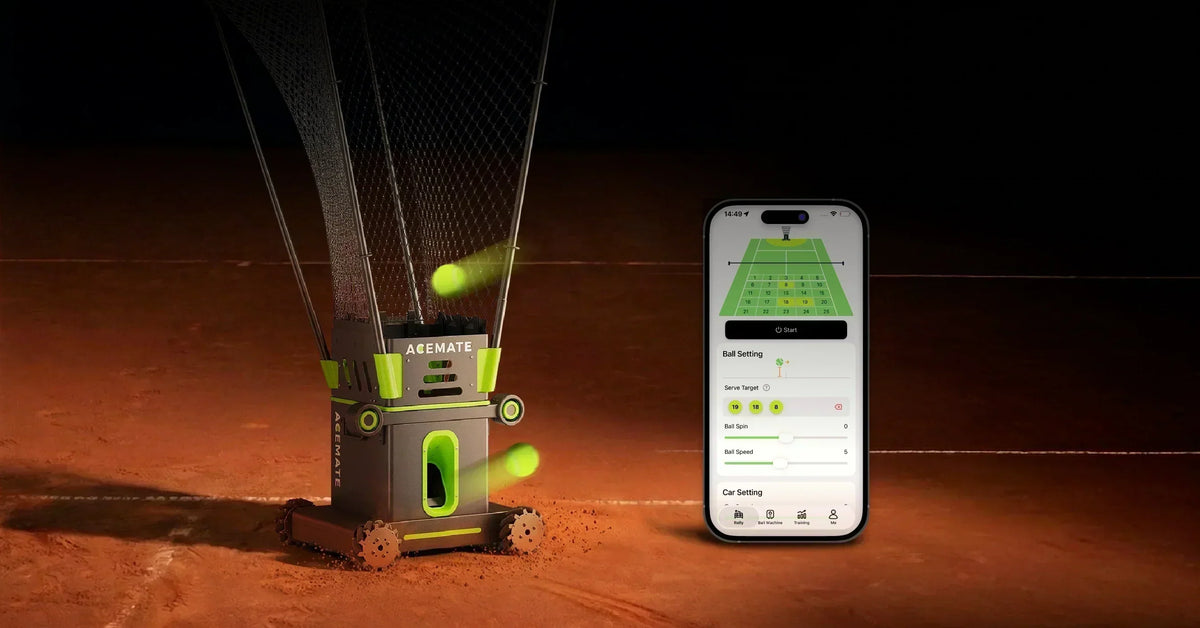
The last row is the only one a conventional feeder cannot satisfy, because no amount of programming makes a stationary machine send a ball back. That is the gap the Acemate S10 fills: binocular 4K cameras track your shot, four Mecanum wheels carry the machine to the intercept point at up to 5 m/s, and it returns the ball at up to 60 mph. It reads the court's boundary lines and net to locate itself, so rally mode needs a standard court, and Acemate specifies switching to ball machine mode elsewhere to avoid collisions.
For named machines in every other row, seven current models tested covers how each performed across full sessions, and a three-way comparison of the main approaches sets a dial machine, a programmable feeder, and a rally robot against each other.
What to Check Before You Buy
Run this list against any machine you are close to buying. Most of it is not on the product page.
- Loaded weight with a full hopper, not the empty figure
- Whether the published weight includes the battery
- Watt-hour rating of the pack, which decides whether it can ever fly
- Whether a spare battery is sold, and what it costs
- Run time at high speed and feed, not the headline number
- Full charge time from empty
- Battery warranty length, separately from the machine warranty
- Parts and service availability in your country
- Minimum speed, not just maximum, if you are buying for a beginner or a junior
- Your trunk lip height, your gate width, and the number of steps on your route

When to Hold Off on Buying
Three situations where the money goes further elsewhere, even after you have picked a machine.
- You are still learning grip and stance. Repetition locks in whatever you are doing, correct or not.
- You play under twice a month. Club rental covers that frequency at a fraction of the cost, and a few weeks of it tells you more than any review.
- You have nowhere to store it. A 40 lb machine that lives behind other things in a garage stops getting used.
Atennis wall or a rebounder covers repetition at a fraction of the cost if contact and timing are what you are working on, though neither varies placement. Buying used is the middle path if price is the only obstacle, though battery condition is the first thing to inspect.
If AI tracking is the reason a machine costs what it costs, settle whether those features earn their premium for a recreational player before committing rather than after.
Tennis Ball Machine FAQs
Can one machine work for tennis, pickleball, and padel?
Some can, and it depends on ball compatibility rather than software. Several current machines support multiple ball types, though feed wheels tuned for tennis balls can handle lighter balls inconsistently. Confirm multi-sport support with the seller, since the wrong ball type is a common cause of jams.
How long does a tennis ball machine last?
The machine typically outlasts several batteries. Motors and feed mechanisms are simple and repairable, and two-year warranties are common on the body. Expect to replace the battery pack and the launch wheels periodically, which is why parts availability matters more than build quality claims at purchase.
How noisy is a tennis ball machine?
Loud enough to notice, and few brands publish a decibel rating. The sound comes from the launch motors spinning continuously plus the impact of each feed, and it carries further on an indoor court. If you play at a shared facility or near housing, check the venue's rules before buying rather than after.
Do tennis ball machines come with tennis balls?
Usually not. Balls are normally sold separately, and several brands offer them as a paid bundle option at checkout. Budget for a case of 100 or more pressureless balls on top of the machine price, since a hopper you cannot fill limits every session.
Is a ball machine or a coach the better investment?
They solve different problems. A coach identifies what you are doing wrong; a machine lets you repeat the correction. If your technique has known flaws, lessons come first. If you know what to work on and lack court time, the machine pays back faster. Comparing what tennis lessons cost against a machine over a season makes the tradeoff concrete.
