
Record six things while you watch an opponent, pick the one or two patterns that decide points against you, convert each pattern into machine settings, and save the sequence under that player's name. Opponent simulation means building a drill around the balls a specific player hits, instead of a generic feed. The machine can copy their ball but not their decisions, so the drill makes their most common shot feel familiar rather than rehearsing a whole match. Most of the realism comes from two choices: the spin and elevation that produce their bounce, and a feed interval matched to their rally tempo.
What Opponent Simulation Can and Cannot Copy
A ball machine copies pace, spin, height over the net, depth, bounce, and the targets a player returns to most often. Those are the things that make an unfamiliar opponent awkward early in a match, and every one of them is a setting.
It cannot copy disguise, shot selection that reacts to your ball, or how someone plays at 4-all. It also cannot punish a weak reply unless the machine returns your shot.
That boundary answers the usual objection to robot training, which is that you always know what is coming. You do. The value is not surprise. It is that the ball shape stops costing you the first four games while you calibrate, so you spend those games executing instead of adjusting.
What to Record When You Scout an Opponent
Six observations carry almost all of the value, and they fit on an index card or one note on your phone.
|
What to record |
How to mark it |
How much you need to see |
|
Serve direction, deuce and ad |
Tally wide, body, or T on each side |
Two service games per side |
|
First ball after their serve |
Where the third shot of the point goes |
Two service games per side |
|
Rally height, depth, and pace |
Net clearance in feet, landing zone, whether it pushes you back |
One set |
|
The wing they protect |
What they hit when forced to it |
One set |
|
Response to a short ball |
Drive, drop, slice approach, or nothing |
Any three chances |
|
Big-point pattern |
Their go-to at 30-all and deuce |
Treat as a hypothesis until it repeats |
Write what the ball does, not what it looks like. "Heavy crosscourt forehand" is hard to convert into settings. "Crosscourt forehand landing two feet inside the baseline, bouncing above my shoulder" converts directly.
Time one thing as well. During a baseline rally, count the seconds between the opponent's contacts, live or on video. That number becomes your feed interval later, and it is the single easiest piece of realism to get right.
Which Patterns Are Worth Drilling
Drill two patterns at most, chosen by frequency and cost: the ball they hit most often, and the ball that wins them the most points against you. When those are the same pattern, you only need one drill.
Before you build anything, write each candidate pattern as three lines.
- Trigger. The situation that sets it up, such as a short ball to their backhand or a second serve.
- Feed. The ball the machine has to produce, described by bounce height, depth, and pace.
- Objective. Where your reply goes and what it is supposed to do, not just that you got it back.
The objective matters more than most players expect. Machine work pulls your attention onto the incoming ball, and it is easy to finish a session having hit 200 good-looking balls to nowhere in particular. Three patterns cover most opponents.
Neutralize Their Weapon
Program three or four consecutive balls of their best shot, then one neutral ball. The objective is depth and recovery rather than winners, so set a target zone deep in the middle of the court, not in a corner. You are training yourself to survive the pattern, and the neutral ball is where you find out whether you can still hit a normal shot after absorbing three heavy ones.
Attack the Ball They Leave Short
Program one deep ball that pushes you behind the baseline, then a short low ball to the service line. The objective is the approach, so put your target where the scout says the court is open, which is usually the side they vacate when they run around a shot. The deep ball matters as much as the short one, because in a match the short ball usually arrives when you are out of position.
Copy Their Serve Plus One
Program two shots: a fast ball into your return position on the side they serve to most, then a wide ball to the opposite corner. The objective is a deep return followed by a recovery step. A fed ball is not a serve, since it leaves from a lower contact point and arrives flatter, so what you are drilling is the return pattern and the recovery, not the return itself. It is still worth building, because you face this pattern in every one of their service games.
Convert Your Scouting Notes Into Machine Settings
Four controls carry ball character on the Acemate S10: direction, speed, spin, and elevation. Depth is not a separate setting. It comes out of speed, spin, and elevation together, and the shot schematic in the app updates as you move the sliders, so set the ball visually and then check where it lands.
|
What you scouted |
The ball you need |
Starting settings |
|
Heavy topspin that kicks above your shoulder |
Deep, high-bouncing ball to your backhand |
Positive spin, elevation 30 to 35 degrees, speed 5 to 6 |
|
Flat, low drive taken early |
Low bounce, less time to prepare |
Spin at or near zero, elevation 15 to 20 degrees, speed 6 to 8 |
|
Slice backhand that stays low |
Short, skidding ball you have to bend for |
Negative spin, elevation 10 to 15 degrees, speed 3 to 4 |
|
Moonball or high loop |
Very deep, very high bounce |
Positive spin, elevation 35 to 40 degrees, speed 4 to 5 |
|
Serve plus one into your backhand |
Two-ball sequence, wide then to the backhand |
Shot 1 wide at mid speed, shot 2 to the backhand corner |
|
Drop shot or short ball |
Ball landing near the service line |
Low speed, elevation 10 to 15 degrees |
Direction has a narrower range than the court does, so when a pattern needs a genuinely wide ball, move the machine toward that side instead of trying to set the angle. The rest of the values are starting points rather than conversions. The speed control is a 1 to 10 dial rather than a number in miles per hour, so you cannot enter an opponent's pace directly. Set the dial by eye against your memory of their ball, hit six of them, and adjust one step at a time until the timing feels like the player you watched. The same approach applies to matching match pace in any drill.
If the opponent you are scouting hits faster or uses wider angles, the Acemate S10 Pro gives you more range to reproduce that ball. It reaches speeds up to 75 mph and expands horizontal shot adjustment across 0–180°, with a 7–40° vertical range. Use that extra range selectively: match the pace, angle, and trajectory you actually recorded rather than turning every drill up to the maximum.
Placement accuracy depends on consistent balls and a standard surface, so a sequence built on a hard court with fresh balls will land differently on clay with a worn set. Surface changes what the bounce does, so rebuild the depth check when you move between them.
Set the Feed Interval From Their Rally Tempo
Use the number you timed while scouting, since the gap between machine feeds is the same measurement as the gap between your contacts in a rally. Club baseline rallies often run between two and three seconds from one of your shots to the next, but a heavy topspin player who plays high over the net gives you noticeably longer, and a flat hitter taking the ball early gives you less.
Start two to three seconds slower than the timed number while you learn the pattern, then work down to it. The app sets the feed rate between 1 and 10 seconds, which covers any rally tempo you are likely to time. One constraint shapes how you build sequences: the interval applies to the whole sequence and stays the same throughout it, so set it for the hardest ball in the pattern rather than the easiest.

Program the Scouted Pattern Into the Machine
Build the sequence once and save it under the opponent's name, so the next time you play them you load it instead of rebuilding it.
- Open the Ball Machine page. Tap the plus button once for each shot in the pattern.
- Set each shot separately. Tap a shot number and give it its own direction, speed, spin, and elevation. Direction works relative to the machine's default center position.
- Set the interval for the whole sequence at the tempo you timed, or slower while you are learning.
- Check the depth. Run the sequence once without hitting and watch where each ball lands. Adjust speed and elevation together until the landing zones match your notes.
- Put your targets down. Mark the objective from your notes with cones or towels on the far side, in the space that opens when the opponent hits the ball you just programmed.
- Save it as a custom training plan and name it for the opponent so the settings survive to the next match.
Per-shot control is the dividing line between machines here. A fixed feeder or an oscillating machine can copy one ball, but a scouted pattern needs a programmable machine that stores different values for each shot in a sequence.
Drills for Four Common Playing Styles
When you have no scouting notes, build from the style instead. Four profiles cover most opponents in club and league play.
The heavy topspin baseliner. Their ball lands deep and jumps above your strike zone, so the answer is usually to take it earlier or to give yourself room and drive through it. Program four shots to your backhand third with positive spin and elevation near 35 degrees, then one shorter ball with the same spin so you practice stepping in when the topspin drops. A high, heavy ball behaves that way because spin changes what the bounce does, not because it arrives faster.
The pusher and moonballer. The problem is patience and contact height rather than pace. Alternate a moonball at high elevation with a short floating ball, so you rehearse both the overhead choice and the decision to move forward. The preset library covers a lot of this before you build anything custom, since it already includes high looping balls, overheads, and volleys alongside fixed-point, two-line, and short and deep alternating patterns. More options sit in a wider set of ball machine drills.
The flat, early ball hitter. Their ball is low and arrives sooner than it looks. Set spin at or near zero, elevation low, and speed higher than feels comfortable, then shorten the interval a step. What you are training is the split step and the first movement, not the swing.
The slicer who comes in. Program a low backspin ball, then a shorter one, then a ball you have to pass or lob. This is the only profile where the third shot matters more than the first two, because you are drilling the decision after the approach rather than the groundstroke.
How to Keep the Drill From Becoming Predictable
A saved sequence repeats, so build the unpredictability in rather than hoping for it.
- Make the sequence longer. Eight to twelve shots are harder to memorize than four, so you react to ball shape instead of counting your position in the loop.
- Never send the same ball three times in a row. Vary direction or elevation on every third shot, even slightly.
- Include one ball you should not attack. Most scouted patterns contain a heavy defensive ball, and leaving it out trains you to hit the wrong shot at the wrong moment.
- Call your target out loud before each ball leaves. It puts a decision in front of the stroke, which is the part a fed ball normally removes.
- Split step on the sound of the machine, not the sight of the ball. Against a person you split on their contact, and a machine takes away the toss, the shoulder turn, and the swing. The sound of the launch is the earliest cue you get, so use it.
Rally mode closes the last gap, since a machine that returns your shots makes your reply matter. On a standard court, set the machine's vertical and horizontal positions so its reset point sits where your opponent likes to stand, then choose three to five landing zones from the 25-zone grid and put them in the corner they favor. Rally presets include mini-tennis rallies, center rallies, and forehand crosscourt patterns if you want a starting shape. Stay at least seven feet, or two meters, from the machine while it is moving.

Session Plan for the Week Before a Match
Three sessions are enough, and they get shorter as the match gets closer.
Five to seven days out. Two hopper loads. Run the scouted sequence at an interval two to three seconds longer than match tempo and focus on contact point and spacing against the unfamiliar ball shape. This is the session where you find out whether your settings match your notes.
Three to four days out. Two hopper loads. Bring the interval down to the tempo you timed, mix your two patterns inside the same set, and add rally mode if you have a standard court. The serve plus one pattern belongs here.
One or two days out. One hopper load. Run only the pattern you are most likely to face, at a comfortable interval, and stop while it still feels good. Nothing technical changes this close to a match. If this is going into an existing routine, it replaces one of your weekly practice sessions rather than adding to the load.
A full hopper on the S10 holds 80 balls, which is roughly five to six sets of 12 to 15.
How to Check Whether the Simulation Worked
Check it in two places, and neither one is how the drill felt.
On the practice court, use your in/out rate against the drilled pattern and the shot distribution map to see whether your replies are landing on your targets or drifting to the middle. Tapping Analyze on a session returns an assessment and suggestions built from your training metrics, which is useful for spotting a trend across sessions rather than judging a single set. Tracking ball placement over time tells you more than any single number from one afternoon.
After the match, write two lines while you pack up: which scouted pattern actually showed up, and what you did with it. That note starts the next scouting cycle, and it is how you find out whether you read the opponent correctly or drilled a pattern they hit twice.
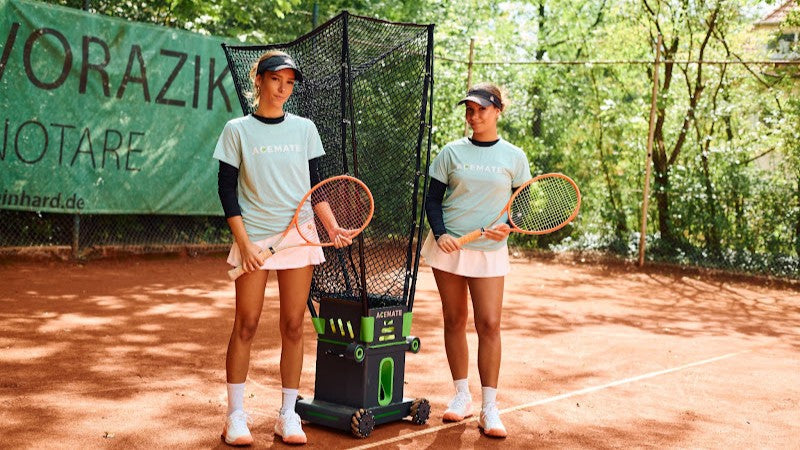
The Acemate S10 stores each opponent as a separate training plan, and its rally mode returns the ball so the pattern includes your reply.
Frequently Asked Questions
Can I Scout an Opponent From Video Instead of in Person?
Yes, and video is better for everything except pace. Recording lets you rewatch service games, count patterns properly, and time rally tempo with a stopwatch. What video hides is how heavy the ball is, so set your speed dial live and adjust in the first session.
What Can I Learn About an Opponent During the Warm-Up?
Five minutes of hitting shows you their rally height, which wing they favor, whether they take the ball early, and how they handle a short ball. It will not show you their serve patterns or anything about how they play under pressure.
How Often Should I Re-Scout an Opponent I Play Regularly?
Re-scout after any match where your saved sequence felt wrong, and otherwise once a season. Serve patterns and rally shape tend to hold up for months, but a player who changes coaches, racquets, or fitness can produce a different ball within weeks.
Should I Drill Their Patterns or My Own?
Both, in that order inside a session. Start with your own patterns to find your timing, then spend the second half on their ball. A week of drilling only their patterns tends to leave you reacting well and initiating badly.
Can I Run These Drills Without a Full Court?
Yes, for the feeding drills. Ball machine mode does not depend on court lines, so scouted sequences run on a half court or any clear, level surface with room for cones. Rally mode needs a standard court, since it locates itself from the lines.
